YOUR DOCS LIVE IN GIT. YOUR TEAM DOESN'T HAVE TO.

#1 AI instructions and results editor.

The simplest way to put AI to real work — build your workspace in markdown, fully compatible with git.

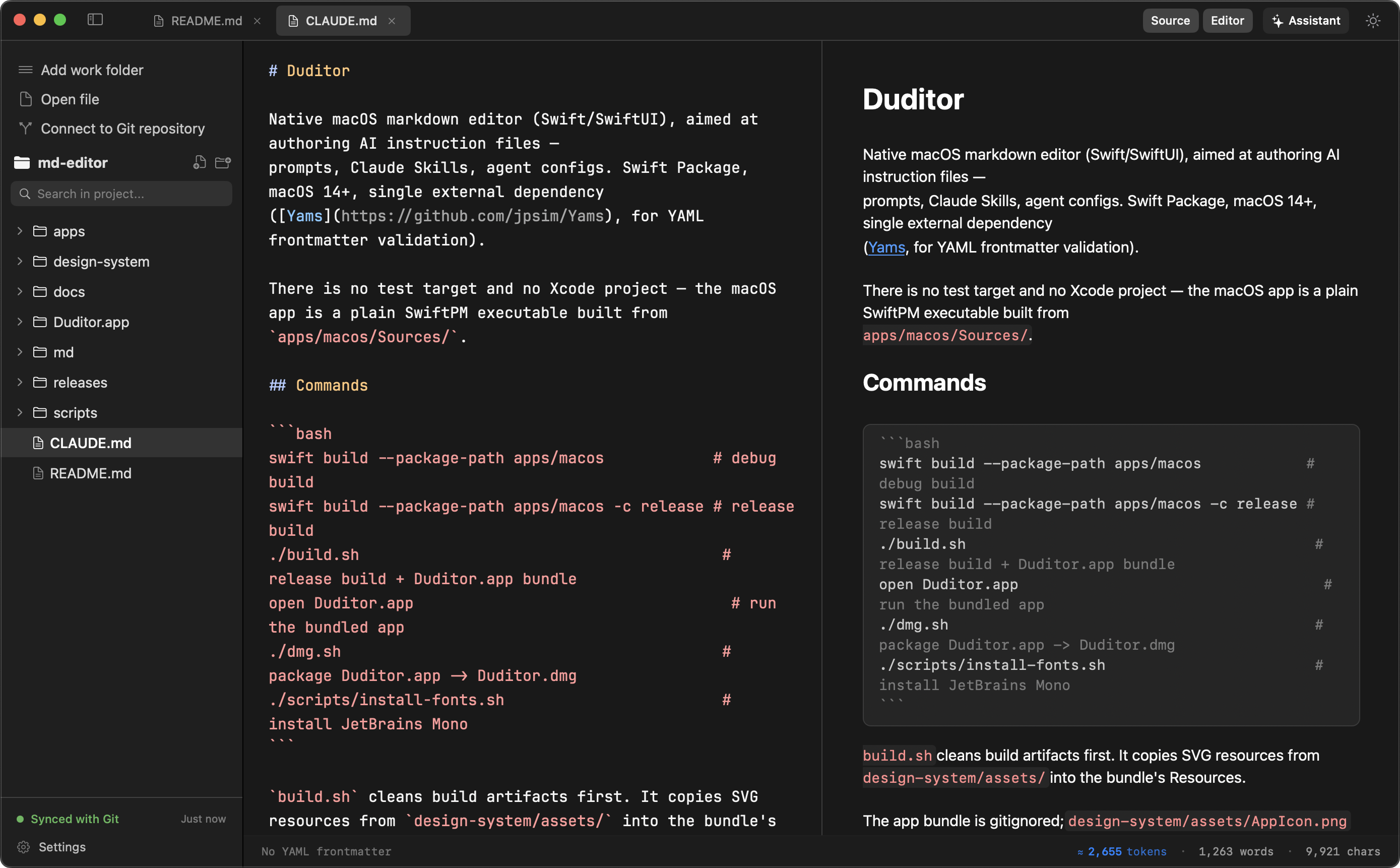
⚡ Opens in <0.5s 🔒 No CLI experience needed 🤝 100% native to your team's git repo 🍎 Universal — Apple Silicon & Intel
Git synced & context readyDudie is watching your workspace
product-strategy.md — Duditor
📁 specs/
📄 product-strategy.md
📄 AGENTS.md
📄 CLAUDE.md
📁 playbooks/
--- title: Q3 Product Strategy owner: product-team status: draft --- # Q3 Strategy We're doubling down on the artifact-first workflow — the doc is the source of truth, not the chat that produced it. ## Next steps - Finalize pricing tiers - Ship onboarding v2

Q3 Strategy

We're doubling down on the artifact-first workflow — the doc is the source of truth, not the chat that produced it.

Next steps

Finalize pricing tiers
Ship onboarding v2

claude-code --file product-strategy.md "draft the pricing section"
Git ✓ synced  ·  YAML ✓ valid ≈ 340 tokens
The human-friendly layer on top of your team's git-based knowledge base.
Built for PMs, marketers, analysts, and tech leads who want real results from AI.

Your company keeps docs in git. Nobody told the rest of the team.

More teams are moving product specs, strategy docs, and playbooks into git repositories — because AI agents perform best when context lives right next to code. But traditional tools force a painful choice.

🔒
Locked out by complex IDEs
Non-engineers struggle with VS Code or terminal commands just to make a quick edit in a spec.
💨
Disposable AI chats
Ideas and AI-generated outputs get trapped in browser chat tabs and vanish forever.
📑
Documentation drift
Notion and Google Docs drift out of sync with the actual git repository within days.

Three things Duditor does that nothing else does together.

Not a git client wearing a friendly face. Not a chatbot with a file browser bolted on. A genuinely new layer between the two.

PILLAR 01
📝
Write like a pro, sync to git invisibly
All the power of git-native documentation, zero terminal friction.
  • Pure markdown editingRich live preview, YAML frontmatter support, and flawless typography at 120 FPS.
  • Invisible background syncEvery save is quietly committed and synced to your repository — no manual merge conflicts or command line headaches.
  • Git as single source of truthKeep non-technical team members and developers editing the exact same repository.
PILLAR 02
Turn AI outputs into lasting work artifacts
Stop burning prompts in disposable chat tabs. Build real results.
  • From prompt to PRDEasily draft specifications, task lists, and strategy playbooks that stay version-controlled in your workspace.
  • Instructions, masteredNative syntax highlighting and frontmatter validation for your team's AGENTS.md and CLAUDE.md files.
  • Context & token countingSee exactly how much context your documents consume before feeding them to AI models.
PILLAR 03
🤖
Bring your own agent (BYOA) + docked terminal
We don't lock you into one AI chatbot. Use the agents you already trust.
  • Docked CLI terminal panelRun Claude Code, Aider, Codex, or custom CLI tools directly next to the document you're editing.
  • Artifact-first workflowPoint your AI agent directly at the open markdown file — no copy-pasting between browser tabs and IDEs.
  • AI-native, vendor-neutralFull freedom to plug in any LLM or CLI agent your team uses.
"Hey there! Git and markdown don't have to be intimidating."

Meet Dudie: your workspace companion

Dudie keeps an eye on your workspace, makes sure your YAML frontmatter is valid, lets you know the moment git is synced, and helps non-technical teammates feel right at home in a repository.

One tool, every role that touches the docs.

Not another dev tool. Not another Notion clone. Duditor is for the people who write the docs your AI agents depend on.

🎯
Product Managers & Analysts
Draft PRDs and specs that auto-sync with engineering without opening VS Code.
📣
Marketing & Brand Ops
Keep messaging docs, campaign briefs, and launch playbooks version-controlled in git.
💼
Sales, CS & Operations
Maintain onboarding guides, process playbooks, and battlecards that never rot in a wiki.
🤖
AI Engineers & Tech Leads
Effortlessly manage AGENTS.md, system prompts, and custom skill definitions.

Three steps, no setup guide required.

This one's an actual sequence, so we'll number it.

01 — OPEN
Open your workspace
Open any local folder or git repository in less than half a second. No cloning instructions, no auth dance.
02 — DRAFT
Draft & refine, guided by Dudie
Edit markdown files with rich formatting, live preview, and native context tools — no terminal in sight.
03 — SYNC & ACT
Sync & run your agent
Your work is automatically saved to git, while the docked terminal lets CLI agents act on the exact files you created.

The small things that add up to fast.

🚀
120 FPS native macOS app
Built with Swift & SwiftUI for instant launch and zero input lag.
🌓
Dark & warm themes
Meticulously crafted color palettes for day and night focus.
🔍
Instant ⌘P & ⌘F
Lightning-fast fuzzy file navigation across large repositories.
📁
Smart sidebar
Quickly filter active working folders, recent documents, and git branches.
🛡️
Local-first & private
Your data stays on your machine and in your git repository — no hidden cloud locks.
🔑
Keychain-secured tokens
PAT tokens live in macOS Keychain, never in a plaintext config file.

Give your whole team a way into the repo.

Start putting AI to real work with Duditor — the #1 AI instructions and results editor.

Free during Public Beta · Native macOS App (macOS 14.0+)